5 Augmentative and Alternative Communication (AAC) Tips For Gestalt Language Processors
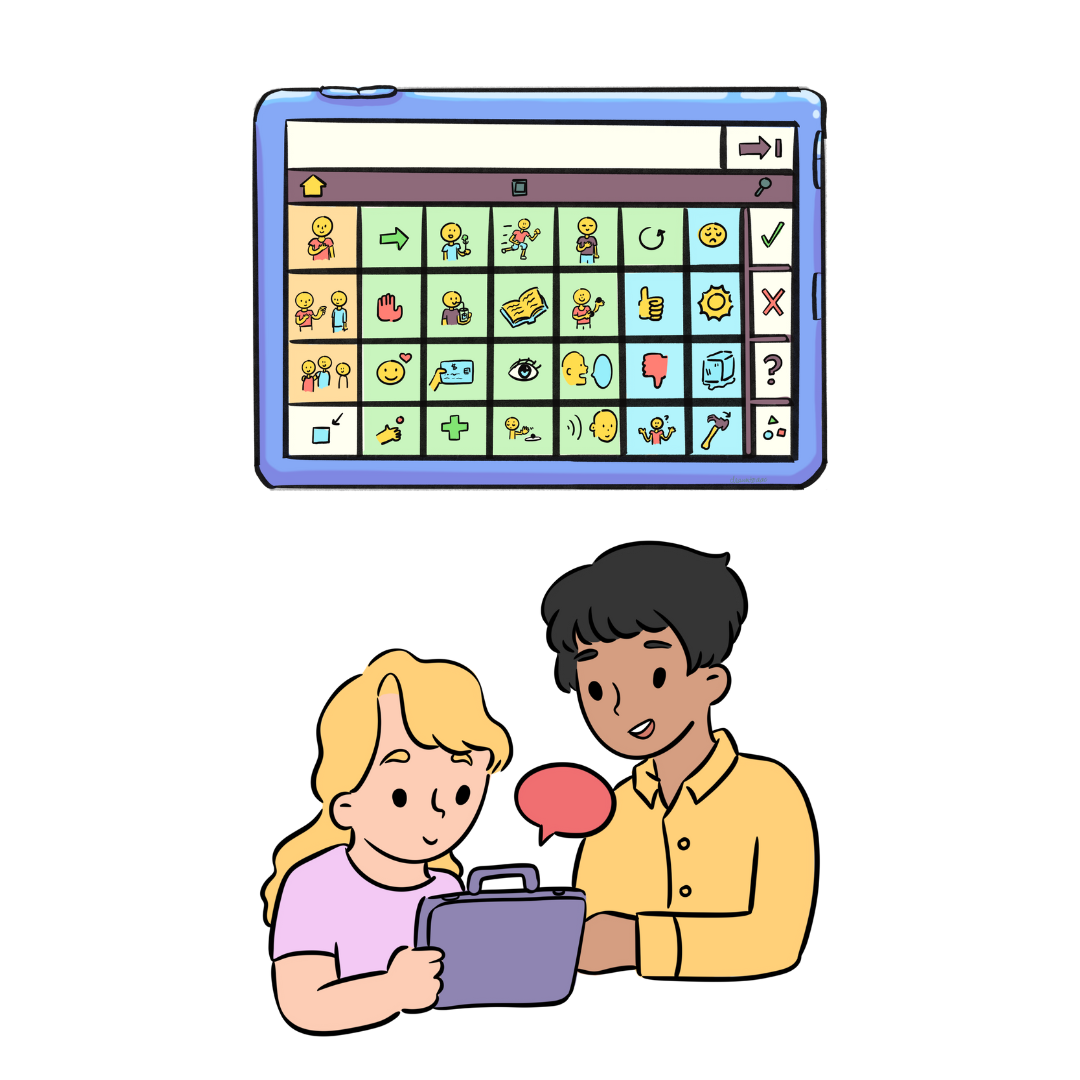
Does your child use an electronic AAC device for communication? AAC stands for Augmentative and Alternative Communication, which includes any form of communication other than verbal speech, such as gestures, texting, pictures and the use of an iPad or electronic device to communicate. If your child is an AAC user, have you ever wondered if they could be a gestalt language processor (GLP)?
GLPs acquire language by first learning longer chunks of language and then breaking those down into single words. They often will repeat lines from videos or like to watch the same part of a video repeatedly. If your child uses AAC, such as a communication device or an iPad, but you haven’t seen much progress in their use of two or three word combinations on the device, it’s possible that your child may be processing language in larger chunks instead of single words.
In contrast, analytic language processors first learn single words and then they put those single words together to build sentences, which is a language development style that is more commonly known. Currently, all AAC programs for electronic devices on the market were originally designed with analytic language learners in mind, where the learner is expected to communicate by putting individual words together to form a sentence. This method can work for GLPs in the later stages of Natural Language Acquisition (NLA) (Blanc 2012), but for children in the earlier stages of gestalt language development, a word by word process can be a mismatch for their learning style.
If you’re wondering, “How do I program my child’s device that that supports gestalt language development in the early stage of language development?” you’re in the right place! There is currently limited research on AAC and GLP, but there are some things that we can do to apply what we know about gestalt language development to modify a GLP’s AAC system to support their learning style.
Adding music and sound to an AAC device, along with scripts and phrases that your child is drawn to, can enhance their AAC experience and provide them with Stage 1 gestalts that they can break down into smaller chunks of language. Longer scripts or songs hold meaning for GLPs, and giving them access to this meaningful language on their device may resonate much more for them than available single words or preprogrammed phrases on the device.
Keep in mind, the rule of thumb is that we generally don’t want to change or move existing buttons on the device, but add to it! We also want to have the end goal in mind, which is Stage 4, flexible communication where your child uses single words to construct phrases and sentences. As we are programming AAC for GLPs, we have to think about all of the Stages of NLA and how we will get from Stage 1 to Stage 4 in a way that makes sense and doesn’t confuse the motor plan for the AAC program. For example, when you use your phone, you learn where the apps are and you create a motor plan for this so you don’t have to think about where your apps are each time you open your phone. This is the same for icons on an AAC device. We don’t want to change or move icons, but add additional icons where it makes sense, so that your child can rely on the motor plans they have made to find the buttons. Just like each GLP learner is different, each AAC program is different in what works best for programming gestalts and making modifications, depending on the layout and the way words are organized on the device.
Here are some ways to get started!
Program scripts or favorite phrases into the device
Program your child’s script (also called gestalts) into their device. Do the investigative work to find out what a gestalt might mean to your child. Remember that we usually cannot take gestalts literally. Once you know the meaning of the gestalt, think about where it would make sense to be on your child’s device. For example, if you know that your child responds to a certain phrase or song when they are feeling playful or happy, you could record that phrase in the “feelings” folder in their device. Another idea is to make a separate page with gestalts where your child can access favorite go-to phrases.
Record your own voice
Use the voice recording feature on your AAC device, if it has one. Instead of using the programmed AAC voice to say a phrase, which can be quite monotone, use your own voice and use rich intonation to say the phrase! For example, if the phrase you’re recording is “Time for cookies!,” say it in an exciting way or sing it! GLPs are often drawn to intonation and music. Some AAC apps come with voices that have inflection and intonation options and you can check that before recording your own voice.
Record a snippet of the original audio
You can use the record feature on buttons on your device to record a snippet of the audio from the video that your learner loves. For example, if your child loves a phrase or song from a certain video, you can record a small portion of that audio right into the device so when you press the button, it plays the audio.
Use longer phrases when modeling
When you are modeling language on the AAC device, try to make longer sentences such as “I am swinging” or “It’s so great!” and then be sure to press the message bar so that the whole sentence speaks aloud versus modeling one single word. Another option is to find some longer phrases that are already programmed into the device and use those like “I don’t like it” or “This is fun!” when you are modeling.
Record sound effects
Some devices and voices on AAC apps come with sound effect options or intonation, but some don’t. If yours doesn’t, or you want to personalize the sound, you can record your own voice to create sound effects. Think “beep beep” for cars on the vehicles page, or animal sounds on the animals page. You can also add intonation to phrases like “uh oh!” or “oh nooooo” to convey more emotion than what might be conveyed with the programmed AAC voice.
These small changes can make GLPs feel “seen” through their AAC when they have access to their favorite phrases or songs on their device! GLPs thrive on intonation and musicality. Incorporating these elements into their AAC system may motivate them to use it more.
I hope these tips help you get started with knowing some options to modify your child’s device for a GLP learning style. You don’t have to have to do this alone. If you’re looking for additional support with helping your AAC user with gestalt language development, I’d love to work with you!
If you’re in Texas, contact me here for AAC/GLP speech therapy services.
If you’re not in Texas, contact me at Parade Learning for additional resources and online AAC/GLP coaching support!